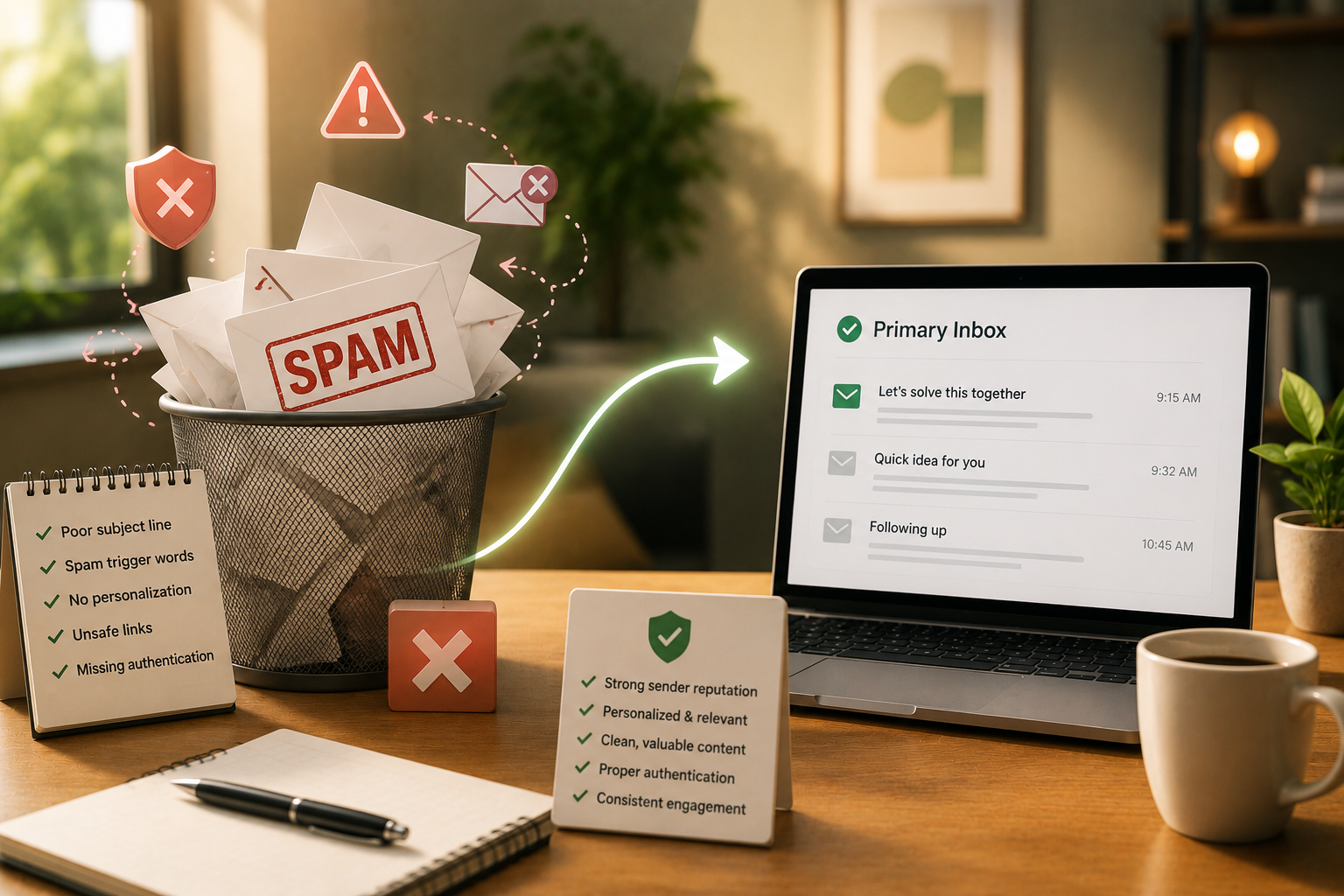
Why Your Cold Emails Go to Spam (And How to Reach the Primary Inbox)
Your cold email is only effective if it reaches the inbox. Learn why emails go to spam, how SPF, DKIM, and DMARC help build trust with email providers, and the practical habits that improve email deliverability, protect your sender reputation, and increase reply rates in B2B outreach.

Imagine you've spent hours writing the perfect cold email.
Your subject line grabs attention.
Your message is personalized.
Your offer is relevant.
You hit Send with confidence.
A week later…
No replies.
No meetings.
No opportunities.
You assume the prospect wasn't interested.
But what if they never saw your email in the first place?
Welcome to one of the biggest challenges in B2B Demand Generation:
Email Deliverability.
No matter how well your email is written, it can't generate replies if it lands in the Spam folder.
In this guide, you'll learn why emails go to spam, how email providers decide whether to trust your messages, and what every B2B marketer should know to improve email deliverability.
What Is Email Deliverability?
Email Deliverability is the ability of an email to successfully reach a recipient's inbox instead of being blocked, rejected, or sent to the Spam folder.
In simple words, it answers one question:
"When I send an email, does my prospect actually receive it in their inbox?"
Notice something important.
Sending an email and delivering an email are not the same thing.
Your email platform may confirm that the message was sent.
That doesn't guarantee the recipient ever saw it.
Why Do Emails Go to Spam?
Imagine the inbox as an exclusive VIP club.
Every day, millions of emails try to get inside.
Unfortunately, many of those emails are phishing attacks, scams, fake invoices, or unwanted promotions.
To protect users, providers like Gmail and Outlook carefully inspect every incoming email before deciding where it belongs.
Think of these providers as very strict security guards.
Before allowing an email into the Primary Inbox, they ask questions such as:
-
Can we trust the sender?
-
Is this email authentic?
-
Has this domain behaved responsibly before?
-
Does the email look suspicious?
-
Have recipients interacted with emails from this sender in the past?
If the answers inspire confidence, the email is more likely to reach the inbox.
If not, it may be filtered into Spam—or blocked completely.
How Do Email Providers Decide Whether to Trust You?
Email providers don't simply trust anyone who claims to send email from a domain.
Instead, they verify the sender's identity using several security checks.
Three of the most important are:
-
SPF
-
DKIM
-
DMARC
Together, these technologies help prove that an email genuinely came from your organization and hasn't been tampered with.
Let's understand each one without getting too technical.
SPF: Your Domain's Guest List
Imagine arriving at a private event.
The security guard checks a guest list before allowing anyone inside.
If your name is on the list, you can move forward.
If it isn't, you're turned away.
SPF (Sender Policy Framework) works in a similar way.
It tells the internet which email servers are authorized to send emails on behalf of your domain.
For example, if your company sends emails using Google Workspace and HubSpot, your SPF record tells email providers that both services are allowed to send emails for your domain.
If an email comes from an unauthorized server, it immediately appears suspicious.
DKIM: Your Email's Digital Signature
Now imagine the security guard checks something else.
You're on the guest list—but they also want to make sure nobody stole your invitation.
That's where DKIM (DomainKeys Identified Mail) comes in.
Every outgoing email receives a hidden digital signature.
When the email reaches the recipient's mail server, that signature is verified.
If everything matches, the recipient's server knows:
-
The email genuinely came from your organization.
-
The message wasn't altered while traveling across the internet.
This helps build trust between your domain and email providers.
DMARC: The Rulebook
Suppose someone tries to impersonate your company.
They pretend to send emails from your domain, but they fail the SPF or DKIM checks.
What should happen?
Ignore the email?
Send it to Spam?
Reject it completely?
That's exactly what DMARC (Domain-based Message Authentication, Reporting & Conformance) decides.
DMARC tells receiving mail servers how to handle emails that fail authentication checks.
It also helps businesses monitor who is attempting to send emails using their domain.
When configured correctly, DMARC strengthens trust in your domain and protects your brand from email spoofing.
Why Does This Matter for Demand Generation?
Imagine your marketing team generates 500 qualified leads through Content Syndication.
Your SDR team starts reaching out with cold emails.
If those emails consistently land in Spam, the leads never see them.
The result?
-
Fewer replies.
-
Fewer meetings.
-
Lower conversion rates.
-
Higher Customer Acquisition Cost (CAC).
-
Frustrated marketing and sales teams.
Poor email deliverability affects every stage of the Demand Generation process.
Even the best messaging cannot generate pipeline if it never reaches the buyer.
Technical Setup Gets You to the Door—Your Behavior Gets You Inside
Many businesses believe that configuring SPF, DKIM, and DMARC solves every deliverability problem.
It doesn't.
Those technologies prove your identity.
They don't guarantee that every email deserves a place in the inbox.
Email providers also evaluate your sending behavior.
Think of it this way.
Your technical setup is your identification.
Your sending habits are your reputation.
Both matter.
What Behaviors Improve Email Deliverability?
Although every email provider uses its own algorithms, several best practices consistently improve deliverability.
Avoid Sending Links in the First Cold Email
Many cold outreach campaigns include calendar links or website URLs in the very first message.
Unfortunately, links—especially in first-touch emails—can increase the likelihood of spam filtering.
Instead of asking prospects to click immediately, focus on starting a conversation.
Write Like a Human
Many spam filters look for repetitive, overly promotional, or obviously automated language.
Keep Reading
You've reached the end of your free preview. Create a free account to read the rest of this article and unlock the full B2Bmedium library.